

Buy the wrong radio, and you're dealing with static, a dead battery by noon, and a device that falls apart within the year.
You need a radio built for your practice—discreet, lightweight, and easy for every staff member to use from day one.
We've sold thousands of radios to medical offices and have packed everything we know into this guide.
What Is the Best Two-Way Radio for Optometrists?
The top picks for optometry offices are the Motorola CLP1010e and the Motorola CLS1110. They're compact, easy to use, and trusted by optometry teams nationwide. That said, the best choice depends on your office size, team structure, and coverage needs—so let's break it all down.
What Do You Actually Need in an Optometry Radio?
Picture a typical afternoon at your practice:
- The patient in Room 3 has been waiting 20 minutes for the doctor.
- The front desk added a walk-in, but the techs don't know yet.
- The doctor is ready for the next exam, but can't reach the scribe.
Everyone's working, but no one's connected. Clear, reliable two-way radios fix this instantly—without disrupting your patients' experience.
Here are the key features to look for:
- Lightweight and compact design — Staff should be able to wear them comfortably through long shifts.
- Clear audio quality — Background noise from patients and equipment shouldn't interfere with communication.
- Earpiece or headset compatibility — Discreet communication that won't interrupt exams.
- Long battery life — A full shift without needing a recharge.
- Multiple channels — So front desk, techs, optical, and doctors aren't stepping on each other's conversations.
- Hands-free/VOX capability — For staff who need both hands free during pre-testing or frame adjustments.
- Privacy codes — To block interference from nearby medical offices or businesses.
- Push-to-talk simplicity — No fumbling with settings. Press and speak.
- Durability — Built to handle drops, bumps, and frequent sanitizing.
Coverage: Match the Radio to Your Office Size
Choosing the wrong power level is one of the most common (and costly) mistakes buyers make. Too much power means overpaying. Too little means dead zones and dropped messages.
Here's a quick reference:
- Small offices: 1–2 watts of UHF power covers up to 100,000–200,000 sq ft. This handles most standard optometry layouts with ease.
- Larger offices or multi-building practices: You'll need 3–4 watts on analog, or 1 watt on digital (which delivers equivalent power), to cover up to 350,000 sq ft and transmit through thick walls.
- Thick concrete or steel construction: Consider stepping up one watt to compensate.
- Multiple locations: Radios running on LTE and Wi-Fi, like the Motorola WAVE PTX series, offer unlimited range across any number of sites.
How Many Channels Do You Need?
Channels let you segment conversations by team—keeping communication clean and reducing unnecessary chatter. For most optometry practices, we recommend setting up four dedicated groups:
- Front Desk — Check-ins, appointment updates, patient flow.
- Techs & Pre-Test — Room availability, patient readiness.
- Doctors & Scribes — Exam handoffs, quick consults, scheduling.
- Optical — Frame consults, glasses pickups, insurance questions.
Easy breezy. That's concise, direct communication. Channels can also support private conversations: "Sarah, call Tom on channel two." Sarah and Tom can talk without broadcasting to the whole team.
Why Brand Matters
A cheap, off-brand radio might save you money upfront. But a device that falls apart in six months—or delivers inconsistent audio quality—costs you more in the long run.
Motorola and Kenwood are the two most trusted names in the two-way radio industry. Both brands are purpose-built for reliable communication, tested for five years of field use, and backed by manufacturer warranties (typically 1–3 years depending on the model). They're intuitive to operate, durable enough for a busy clinical environment, and—unlike cell phones—come with no monthly service fees.
Our Top Radio Picks for Optometry Teams
These recommendations come from years of experience working with thousands of radios across medical offices of every size. Each one has a proven track record.
Small Offices
Motorola CLP1010e
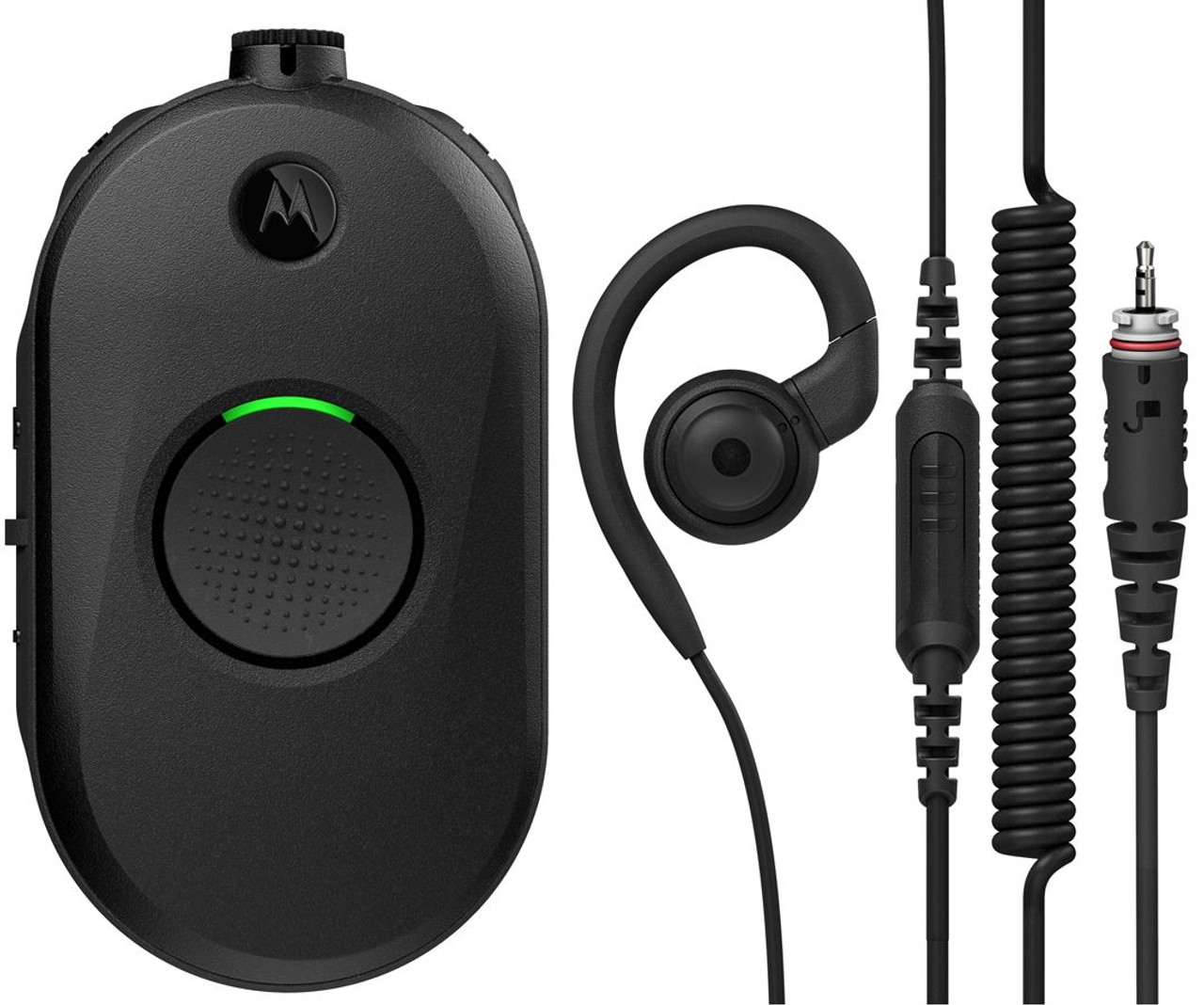
Best for: Compact practices looking for a discreet, hands-free solution.
| Spec | Detail |
|---|---|
| Channels | 1 |
| Power | 1 watt, UHF |
| Coverage | Up to 100,000 sq ft / 10 floors indoors |
The CLP1010e is the lightest radio on this list at just 2.38 ounces—you'll barely notice it's there. It comes with a discreet earpiece and belt holster, making it ideal for staff who need to stay connected without looking like they're on a construction site.
Audio is sharp and clear, even in noisy environments. The large PTT button keeps operation simple. Battery life runs 12 hours, covering even the longest shifts. And for hygiene-conscious practices, the antimicrobial casing is a genuine bonus—germs aren't going to spread via the radio.
Need more range down the line? The CLP1010e is repeater capable, so you can double its coverage without replacing the hardware.
Motorola CLS1110

Best for: Offices that want a user-friendly radio with a display and extended range.
| Spec | Detail |
|---|---|
| Channels | 1 |
| Power | 1 watt, UHF |
| Coverage | Up to 200,000 sq ft / 15 floors indoors |
CLS stands for Clear, Light, and Simple—and this radio lives up to all three. 1 channel give you enough for most standard optometry teams, and the simplified cloning feature makes setup fast.
The CLS1110 includes Audible Call Alerts and Vibracall technology, so staff can receive notifications even in noisy or high-activity environments. With two miles of outdoor range, it's a solid choice for practices with parking lot staff or adjacent buildings.
Larger Offices & Multi-Building Practices
Motorola Curve
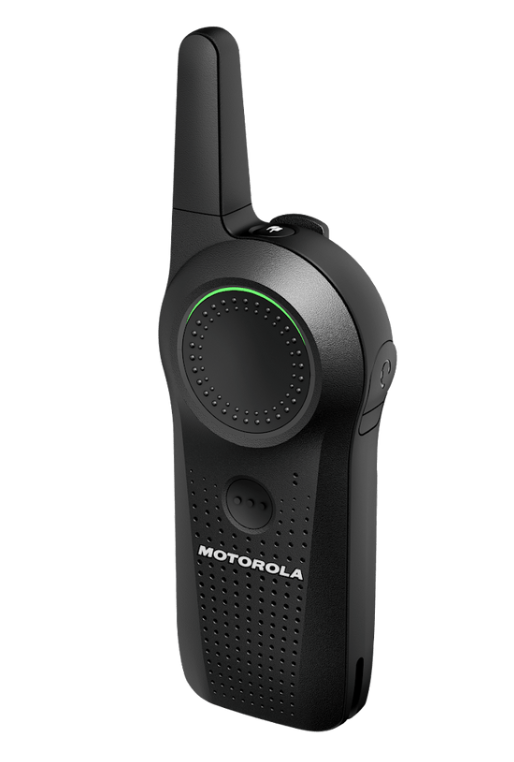
Best for: Larger teams, HIPAA-sensitive environments, and multi-department coordination.
| Spec | Detail |
|---|---|
| Channels | 10 |
| Power | 1 watt digital (equivalent to 4 watt analog) |
| Coverage | Up to 300,000 sq ft / 20 floors |
The Motorola Curve is our top recommendation for larger optometry practices—and it's the most HIPAA-compliant radio on the market. That's a big deal in a clinical setting.
At 4.2 ounces, it's still lightweight enough for all-day wear. Ten channels give you full flexibility to create dedicated groups for every department. And because it operates on a digital band, you get better privacy and audio clarity
Privacy is handled through Frequency Hopping Spread Spectrum technology and 10,000 different privacy codes. In the event of an emergency, the Page All and Call All Available functions let you reach every staff member simultaneously. For sensitive conversations, the Direct Call feature connects you to one person only.
Battery life runs 14 hours on the rechargeable lithium-ion battery—more than enough for even the longest clinic days. Like the CLP1080e, the Curve also features an anti-microbial coating for hygiene control.
Quick Comparison: Which Radio Is Right for You?
| Radio | Best For | Coverage | Channels | Key Feature |
|---|---|---|---|---|
| Motorola CLP1010e | Small offices | 100,000 sq ft | 8 | Lightest, most discreet |
| Motorola CLS1110 | Small–medium offices | 200,000 sq ft | 4 | Display, long battery |
| Motorola Curve | Large/multi-dept offices | 300,000 sq ft | 10 | HIPAA compliant |
Frequently Asked Questions
How many radios does my practice need?
A good rule of thumb is one radio per active staff member per shift. If you have a front desk clerk, two techs, a scribe, and a doctor on at the same time, five radios is your starting point.
Can staff use earpieces with all of these radios?
Yes. All models listed are compatible with earpieces or headsets. The Motorola CLP1010e actually comes with one included, making it particularly well-suited for discreet in-office communication.
Are these radios safe to sanitize?
The Motorola CLP1010e and Motorola Curve both feature anti-microbial casings. For standard sanitizing, ensure you're using wipes or sprays that are safe for electronics—avoid submerging any device.
What's the difference between analog and digital radios?
Analog radios transmit a continuous signal, while digital radios convert voice into data packets before transmitting. Digital radios generally offer clearer audio at longer distances, better privacy, and additional features.
Ready to Equip Your Team?
The right two-way radio transforms how your team communicates—fewer interruptions, faster handoffs, and a smoother experience for your patients. Whether you're running a single-room practice or a multi-location group, there's a radio on this list built for your needs.
Tech Wholesale has been helping medical offices find the right communication tools for over 25 years. Request a quote today for our best possible pricing, and our team will help you find the perfect fit—with lifetime tech support included after your purchase.